Viatest
Instrument once.
See every screen.
Drop the SDK into your app, ship opaque tester IDs, and review activity in the workspace.
Quick start
Four steps from empty app to live events in the workspace.
- 01
Create an app key
In the workspace, open Apps → your program → About. Enable Viatest and copy the generated vt_test_ key.
- 02
Add the SDK
Android (:viatest-android), web (viatest-web), or React (viatest-react). Initialize once at startup.
- 03
Identify & screen
Call identify with an opaque tester id, then screen() on each meaningful view.
- 04
Watch it land
Run viatest-cli locally, exercise the app, and open Workspace → Events.
Android SDK
Initialize once. Identify the tester. Name the screens that matter.
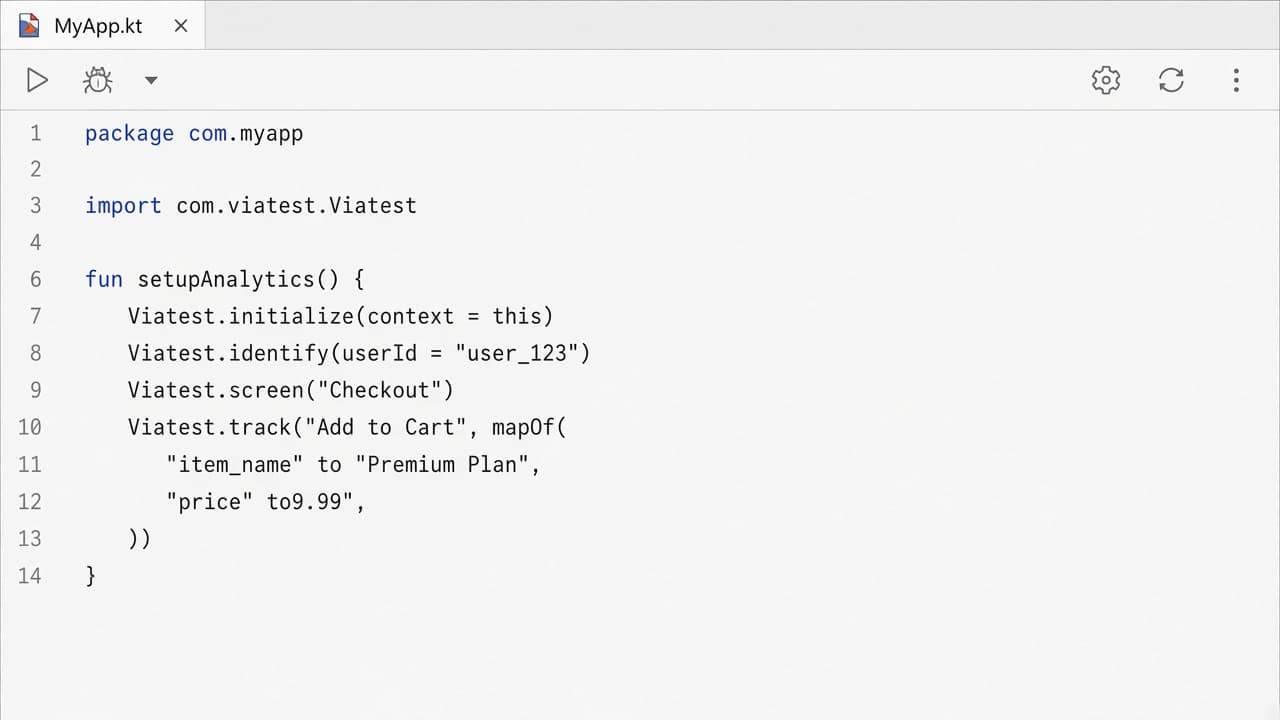
Initialize
class MyApp : Application() {
    override fun onCreate() {
        super.onCreate()
        Viatest.initialize(
            context = this,
            apiKey = "vt_test_…",
            debug = BuildConfig.DEBUG,
        )
    }
}
Instrument
Viatest.identify("tester_392")
Viatest.screen("Checkout")
Viatest.track(
    "checkout_tested",
    mapOf("payment_method" to "momo")
)
Viatest.flush()
Local project dependency: implementation(project(":viatest-android"))
Web SDK
Same calls as Android. History changes are recorded automatically; screen() sets the name you want in the workspace.
Initialize
import { Viatest } from "viatest-web";

Viatest.initialize({
  apiKey: "vt_test_…",
  debug: true,
});
Instrument
Viatest.identify("tester_392");
Viatest.screen("Checkout");
Viatest.track("checkout_tested", {
  payment_method: "momo",
});
Viatest.flush();
vt_test_ keys post to http://127.0.0.1:8123. Pass autoScreens: false to skip URL tracking. Query strings are never sent.
React SDK
Wrap the tree with ViatestProvider. In the Next.js App Router, render that provider from a client component.
import {
  ViatestProvider,
  useViatest,
  useViatestScreen,
} from "viatest-react";

export function App() {
  return (
    <ViatestProvider apiKey="vt_test_…" debug>
      <Checkout />
    </ViatestProvider>
  );
}

function Checkout() {
  const viatest = useViatest();
  useViatestScreen("Checkout");
  return (
    <button
      onClick={() =>
        viatest.track("checkout_tested", {
          payment_method: "momo",
        })
      }
    >
      Pay
    </button>
  );
}
useViatestScreen(pathname) follows the router. The package depends on viatest-web and reports batches as viatest-react.
Workspace
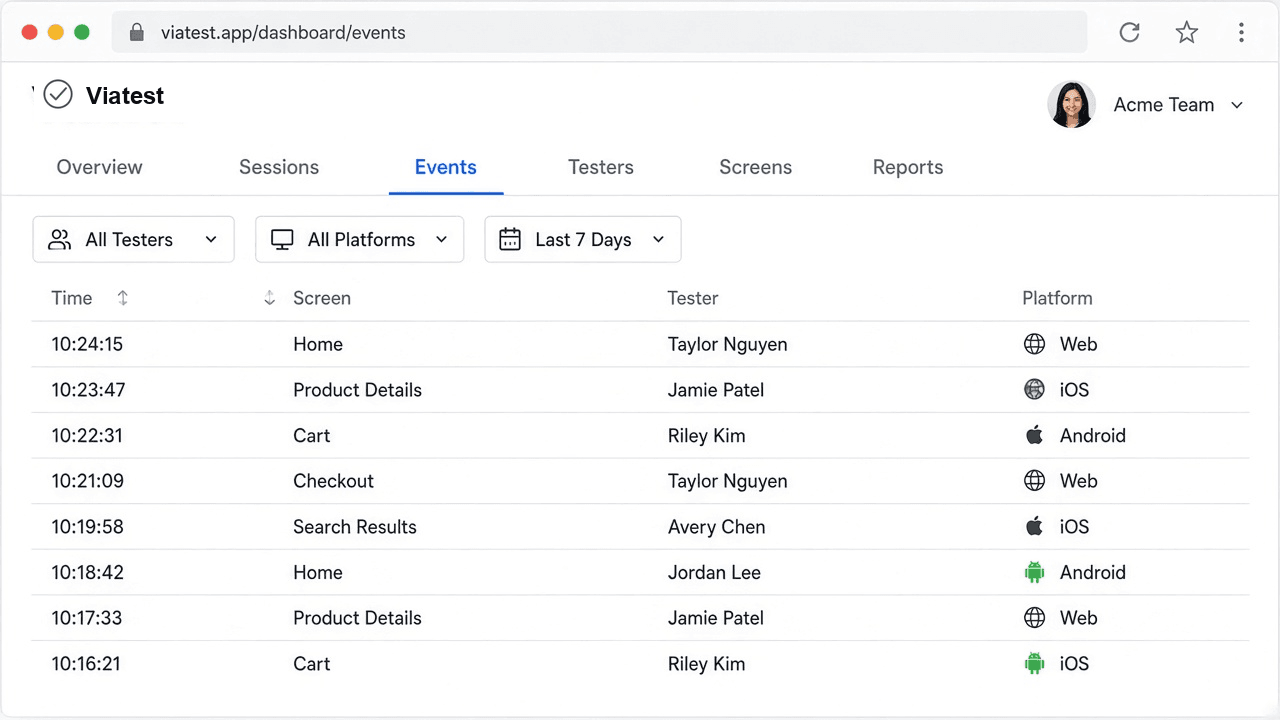
Staff filters by tester, app, platform, and screen. Testers see only their own activity.
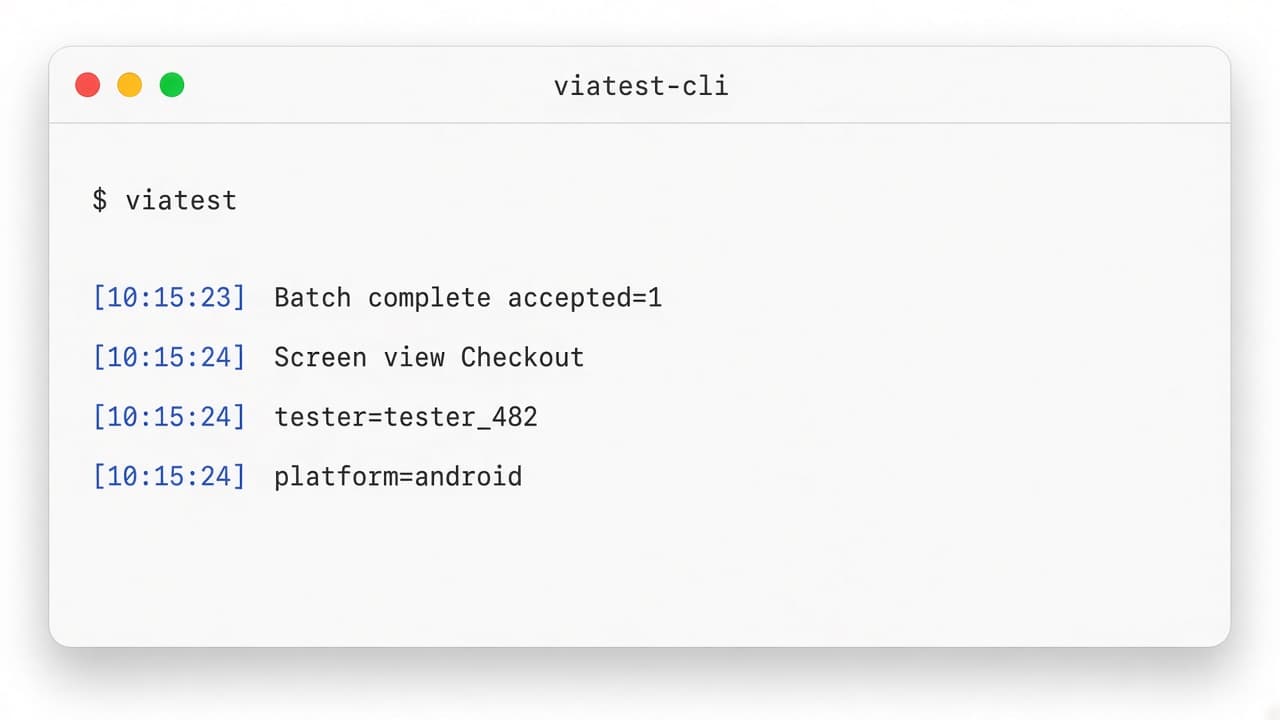
viatest-cli on :8123, then browse Events in the portalEvents
Tables of screens & time
Stats
Graphs across people & apps
Members
Per-tester deep dive
HTTP API
Prefer the SDK. For scripts and other platforms, POST a batch with a Bearer API key.
curl -X POST http://127.0.0.1:8123/v1/events/batch \
  -H "Authorization: Bearer vt_test_…" \
  -H "Content-Type: application/json" \
  -d '{
    "sdk": { "name": "curl", "version": "0.1.0" },
    "events": [{
      "event_id": "evt_demo_1",
      "event_type": "screen_view",
      "timestamp": "2026-09-21T12:00:00.000Z",
      "platform": "android",
      "tester_id": "tester_392",
      "properties": { "screen": "Checkout" }
    }]
}'| Field | Required | Notes |
|---|---|---|
| event_id | yes | Unique; used for dedup |
| event_type | yes | screen_view, custom_event, … |
| timestamp | yes | ISO-8601 UTC |
| platform | yes | android · ios · flutter · web |
| tester_id | no | Opaque id — never email |
| properties.screen | screen_view | Display name |
Security defaults
Built in so you do not have to remember them under pressure.
- Privacy filterDrops keys like password, token, pin, email from properties.
- Opaque tester idsRejects emails and odd characters. Use tester_392 style ids.
- vt_live_ keysRequire HTTPS. Use vt_test_ only for local cleartext.
- Rate limitAbout 120 requests per minute per API key on the server.
Need help wiring an app? Talk to the team.